
Configuring 3D — Introduction
Stereoscopic vision relies on a single principle: presenting each eye with the image intended for it. Rhinoceros produces these two images through the OpenGL quad buffer mechanism, supported by professional NVIDIA graphics cards (Quadro and professional RTX ranges); the display equipment then takes care of separating them.
Three families of equipment can be used with Oxalis, and this chapter describes the configuration of each:
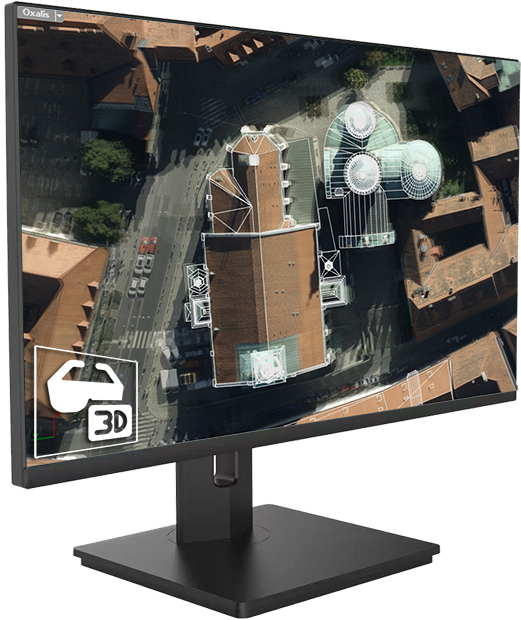
- The passive 3D monitor with polarized glasses (here the Voxel NV2002-D24 model). The monitor displays the two images interlaced with different polarizations; lightweight polarized glasses with no electronics do the sorting. This is the simplest solution to set up.
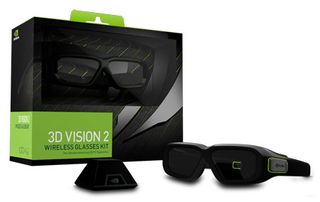
- The active 120 Hz 3D monitor and the NVIDIA 3D Vision glasses kit. The monitor alternates left and right images; the shutter glasses, synchronized by an infrared emitter, mask the eye that is not concerned. NVIDIA has discontinued development of this kit, but it remains widely installed and works with current drivers, provided the emitter driver is installed separately.
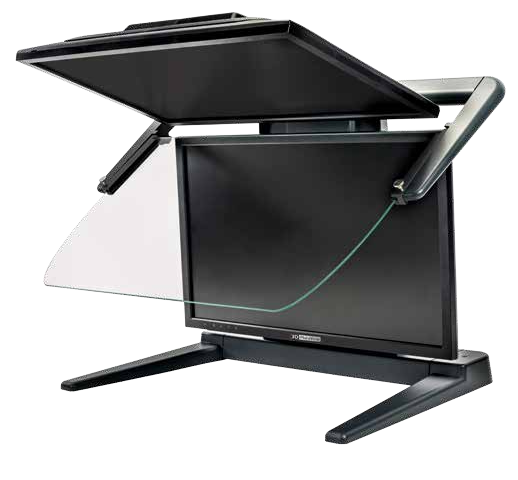
- The PluraView monitor (Schneider Digital). Two stacked screens and a semi-transparent mirror: each eye sees its own screen, at full resolution, through polarized glasses. This is the reference solution for photogrammetric workstations, at the cost of a display setup with two cloned screens.
|
|
|
Passive 3D monitor with polarized glasses Here the Voxel NV2002-D24 | Monitor capable of active 3D display and a glasses kit: NVIDIA 3D Vision | PluraView-type monitor (SchneiderDigital) |
Whatever the equipment, configuration involves four levels, described in this order for each solution:
- The 3D monitor or the NVIDIA “3D Vision” glasses
- The graphics card
- Windows
- Rhinoceros
Depending on the equipment you use, settings may vary.
The configuration for a monitor capable of passive 3D display and that for “NVIDIA 3D Vision” glasses are identical for the graphics card, Windows and Rhinoceros; they are described only once, in the first section.