
CaptureDrawNurbsCurve
| Command Name | Icon | Menu Path |
|---|---|---|
| CaptureDrawNurbsCurve | RhinoCapture > Draw > NURBS > Curve “Templates” panel : Draw > Nurbs curve |

Digitizes a NURBS curve: the resulting curve is computed by interpolation through the digitized points.
Such curves always appear smooth, in 2D as in 3D. They require fewer points than a polyline, for better rendering quality.
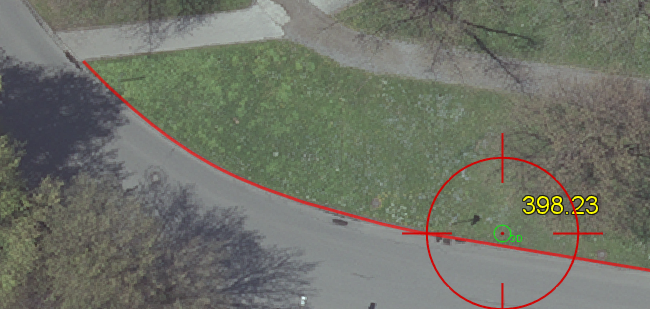
Example of a NURBS curve seen in the stereo view
The options are:
Tesselation
Angle, in degrees, that determines the discretization step.
See Tessellation in the introduction to this chapter.
AsPolyline
- Yes — : the resulting shape is a polyline;
- No — : the resulting shape is a B-Spline.