
Connecting and disconnecting a device
| Command Name | Icon | Menu Path |
|---|---|---|
| Oxalis_TestControllerInput | Oxalis > 3D Cursor > Test controller input |

This command displays in the view the number of the buttons of the connected pointing device.
| Command Name | Icon | Menu Path |
|---|---|---|
| Oxalis_ToggleConnection_Mouse | Oxalis > 3D Cursor > Pair/Unpair > The Standard mouse |

This command connects the 3D cursor to, or disconnects it from, the ‘standard’ mouse.
| Command Name | Icon | Menu Path |
|---|---|---|
| Oxalis_ToggleConnection_SpaceMouse | Oxalis > 3D Cursor > Pair/Unpair > A SpaceMouse (3Dconnexion) |

This command connects the 3D cursor to, or disconnects it from, a SpaceMouse 3D mouse from 3Dconnexion.
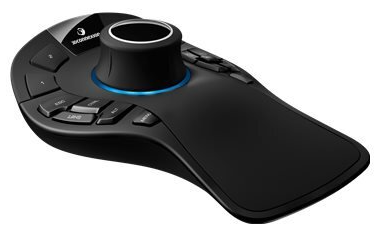
| Command Name | Icon | Menu Path |
|---|---|---|
| Oxalis_ToggleConnection_SoftMouse | Oxalis > 3D Cursor > Pair/Unpair > A SoftMouse |

This command connects the 3D cursor to, or disconnects it from, a 3D mouse of the SoftMouse type.
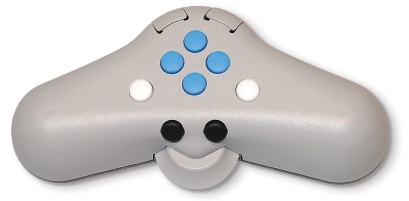
Oxalis_ToggleConnection_Stealth
| Command Name | Icon | Menu Path |
|---|---|---|
| Oxalis_ToggleConnection_Tablet | Oxalis > 3D Cursor > Pair/Unpair > A tablet (Wacom) |

This command connects the 3D cursor to, or disconnects it from, a Wacom tablet.
|
|
|
Intuos Pro 2017 | Intuos Pro 2025 | Intuos |
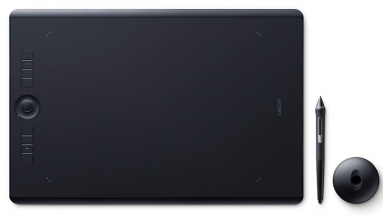
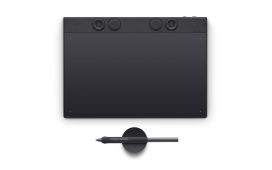
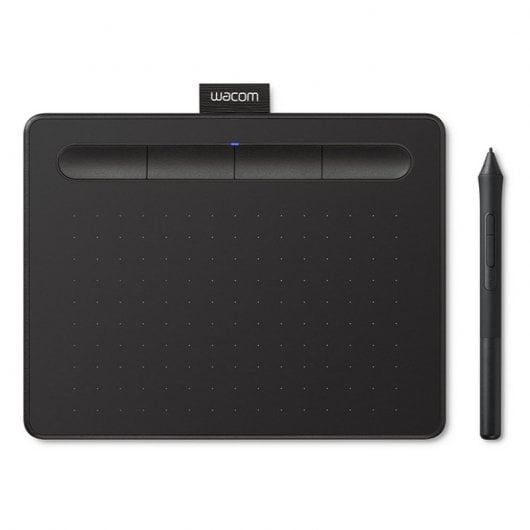

This is a toggle command: it inverts the connection state of the tablet. If the tablet is connected, the command disconnects it; if it is disconnected, the command connects it.
| Command Name | Icon | Menu Path |
|---|---|---|
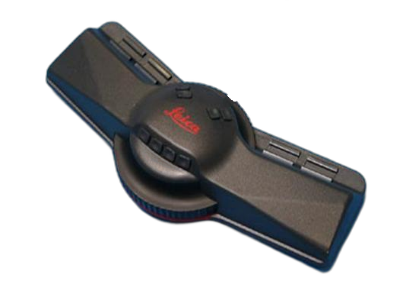
| Oxalis_ToggleConnection_TopoMouse | Oxalis > 3D Cursor > Pair/Unpair > A TopoMouse |

This command connects the 3D cursor to, or disconnects it from, a TopoMouse 3D mouse from Leica or Intergraph (older models).
| Command Name | Icon | Menu Path |
|---|---|---|
| Oxalis_ToggleConnection_XBox | Oxalis > 3D Cursor > Pair/Unpair > An XBox controller (Microsoft) |

This command connects the 3D cursor to, or disconnects it from, a Microsoft controller.
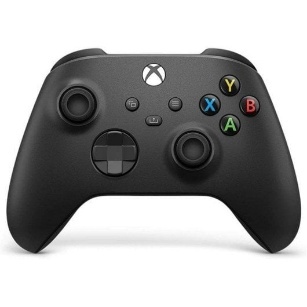
• It illustrates the flexibility of the architecture of rhinoCapture STEREO, which can interface with virtually any input device.
• In practice, however, a game controller is not suited to precision stereoscopic capture, and its use in production is not recommended.