CaptureRoofMansard
| Command Name | Icon | Menu Path |
|---|---|---|
| CaptureRoofMansard | RhinoCapture > Roofs > Mansard > Mansard “Templates” panel : Roofs > Flat Mansard roof |

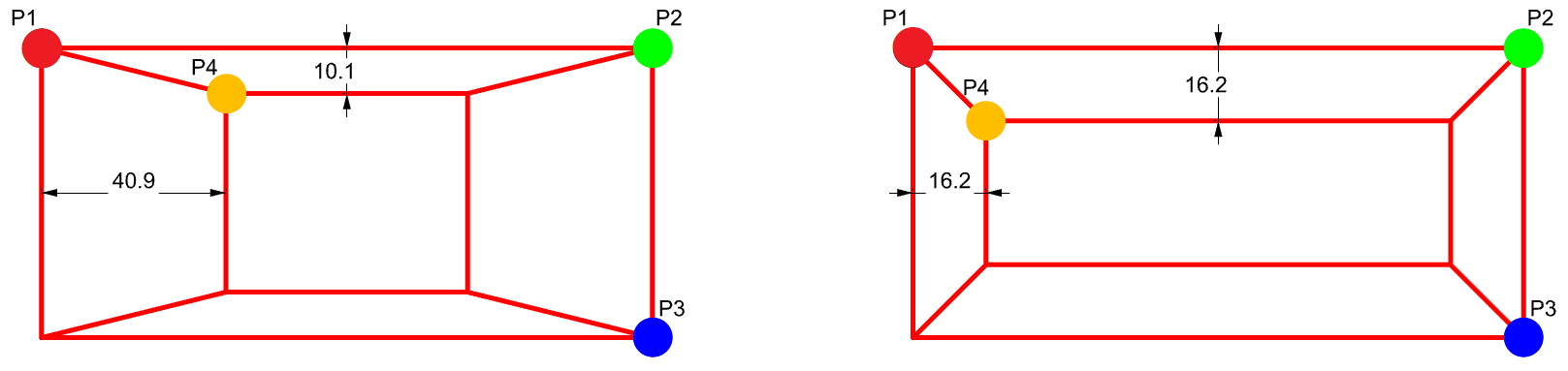
Draws a Mansard roof from a rectangle (eave) and a point on the lower-slope break line.
Input takes 3 steps:
- Step 1: definition of rectangle R1 (eave). As for a standard rectangle, it is defined by 2 or 3 points, depending on whether an azimuth is active.
- Step 2: click point P2 on the lower-slope break line.
- Step 3: answer the prompt “Draw the upper slope rectangle?”: Yes finishes the shape with a flat top; No leaves the roof open so that you can continue digitizing with another command above the lower slopes.