
CaptureRoofDome
| Command Name | Icon | Menu Path |
|---|---|---|
| CaptureRoofDome | RhinoCapture > Roofs > Dome > Dome “Templates” panel : Roofs > Spherical dome |


Draws a spherical dome roof from 2 points.
Input takes 2 steps:
- Step 1: click point P1 at the apex.
- Step 2: click point P2 on the eave.
The number of polygons that make up the dome depends on the MeshDensity parameter in the Computation section of the file RhinoCapture.xml :
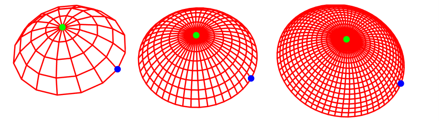
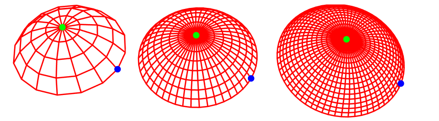
MeshDensity = 0.2, 0.4 and 0.6 (from left to right)