
CaptureAzimuthRectangleConstrainedOn
| Command Name | Icon | Menu Path |
|---|---|---|
| CaptureAzimuthRectangleConstrainedOn | RhinoCapture > Azimuth > Constrain rectangle > On |

Enables the rectangle constraint.
It applies to any rectangular element, and to all templates that start by capturing a base rectangle (CaptureDrawRectangle, CaptureRoofHipFromEave, CaptureRoofGableFromEave…).
When the constraint is enabled, once the direction of the first side is defined by the first two points, the coordinates of these two points are locked: the only remaining variable is the width of the rectangle.
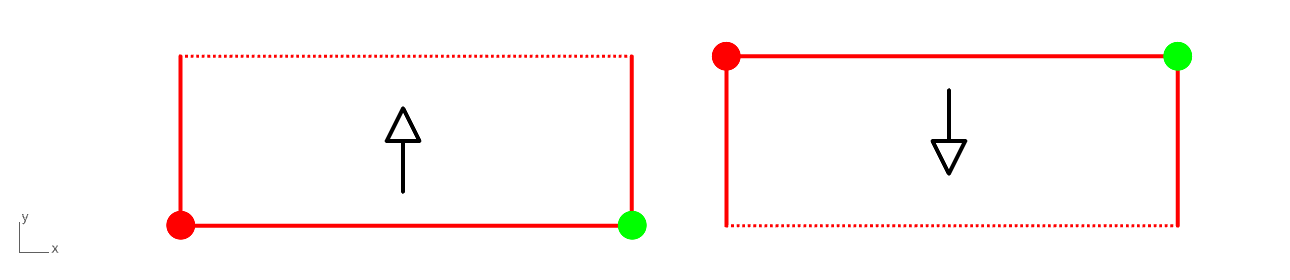
Rectangle constraint enabled: after P1 and P2 , P3 can only move
perpendicularly (upward, on the left, or downward, on the right)